
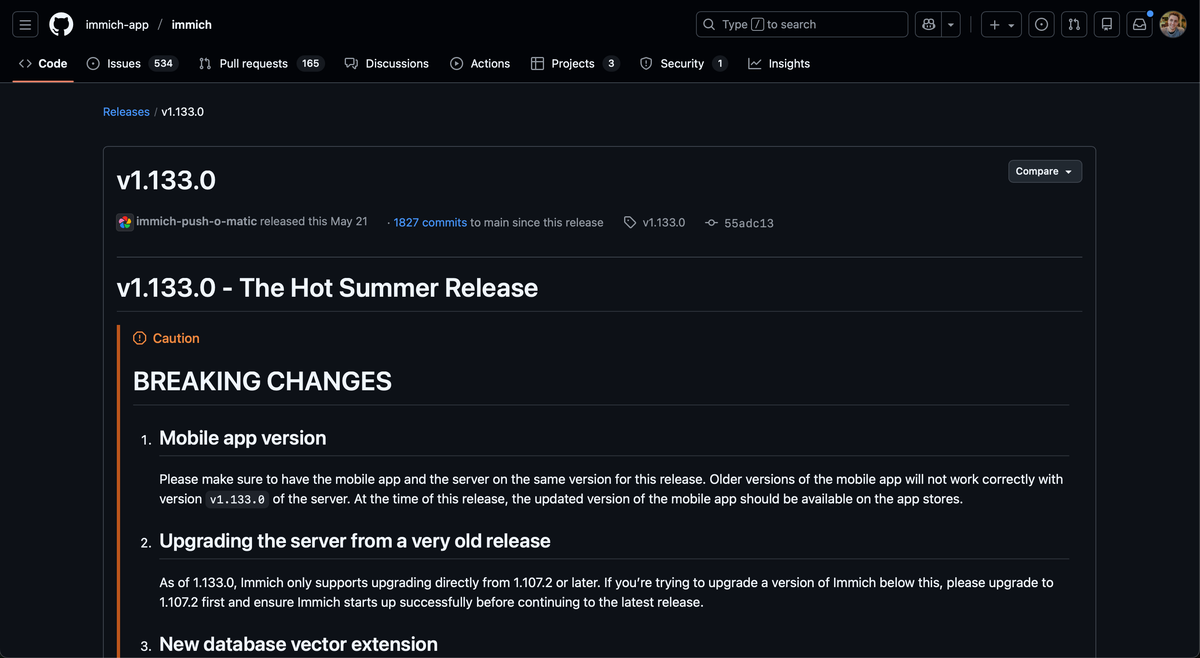
I have been trying to avoid updating my Immich version for a long time after I saw the large update done by the Immich team to move off of pgvector to vectorchord. Honestly i saw the release, knew i was busy, and looked the other way hoping for the issue to disappear.
Sadly, after awhile my wife's app stopped backing up her images and when her messages no longer sent because of insufficient space on her disk, I knew it was time to figure out how to do the upgrade.
My thinking was if I waited long enough, people would solve this for me, which they sort of did but no one created a guide to hand hold me which is sad so i'm writing this post for the next person doing the same thing I am.
 immich-app
Assumptions
- You have Immich at a lower version then
1.33.0 - You use cloudnative-pg to manage your cluster
- You are running a cloudnative-pg image that supports
pgvecto.rssuch asghcr.io/tensorchord/cloudnative-pgvecto.rs:16.3where 16 is the Postgres version. - You are scared to upgrade and to busy to spend an evening figuring it out (like me 😄)
Before starting...
- Turn off all the instances of immich. Just set the replica count to 0.
- Backup the Immich database
You should be able to backup the data by running this one liner I got ChatGPT to make. By providing the app name and namespace the Postgres database is deployed in, it should write all the data to your local disk!
export APP=immich
export NS=immich

pg_dump \
  --clean \
  --if-exists \
  --verbose \
  --username="$APP" \
  --dbname="$(
    kubectl get secret -n "${NS}" "${APP}-db-app" -o json \
    | jq -r '.data.uri' \
    | base64 -d \
    | sed "s/@[^:]*:/@$(kubectl get svc -n "${NS}" "${APP}-db-rw" -o jsonpath='{.spec.clusterIP}'):/"
  )" \
| gzip > dump.sql.gz
Just note that you will have to have the pg_dump version installed that matches the your server. I'm running Postgres 16, which means i needed pg_dump from version 16 which I brew installed with postgresql@16.
What not to do
You can't use the Postgres container created by Immich because it assumes that you are running Postgres through the docker image ENTRYPOINT. Immich created a bash script which does some post processing before starting the Postgres instance. This won't work with cloudnative-pg because the Cluster CRD creates a Postgres pod that also hijacks the entrypoint through the pod CRD yaml.
Therefore, you can't rely on the images that Immich app provides, but don't worry, that has already been planned for and instead you need to follow their documentation for manually updating the database!


Upgrading Immich
with Cloudnative-pg
The first is confirm you are running a cloudnative-pg compliant image for pgvecto.rs. If you check the pod running your database you should find something like ghcr.io/tensorchord/cloudnative-pgvecto.rs:16.3 in your pod definition.
k get pods immich-db-1 | grep image
...
# One of these should look like
  image: ghcr.io/tensorchord/cloudnative-pgvecto.rs:16.3
After confirming the image, we can connect to the database. Use the helpful bash script below to do it in one line.
export APP="immich"
export NS="immich"
psql "$(
  kubectl get secret -n "${NS}" "${APP}-db-app" -o json \
  | jq -r '.data.uri' \
  | base64 -d \
  | sed "s/@[^:]*:/@$(kubectl get svc -n "${NS}" "${APP}-db-rw" -o jsonpath='{.spec.clusterIP}'):/"
)"
Upon connection, follow the "Migration Steps (Manual)" section. I'll include the instructions here for reference.
Manual Migration for pgvecto.rs
With pgvecto.rs still running, run the following SQL command using psql connection. Take note of the number outputted by this command as you will need it later. In my case this was 512.
SELECT atttypmod as dimsize
    FROM pg_attribute f
    JOIN pg_class c ON c.oid = f.attrelid
    WHERE c.relkind = 'r'::char
    AND f.attnum > 0
    AND c.relname = 'smart_search'::text
    AND f.attname = 'embedding'::text;
 dimsize
---------
     512
(1 row)
Next drop the references to pgvecto.rs. We'll be mapping this back to the vectorchord data type later.
DROP INDEX IF EXISTS clip_index;
DROP INDEX IF EXISTS face_index;
ALTER TABLE smart_search ALTER COLUMN embedding SET DATA TYPE real[];
ALTER TABLE face_search ALTER COLUMN embedding SET DATA TYPE real[];
This is all that is required to prepared our database to switch over to the new vectorchord database.
Change the database image
You will need to update the image running your Postgres. You need a image that supports being ran by cloudnative-pg. For example here is a diff of my change in my own argocd repository.
diff --git a/services/immich/postgres.yaml b/services/immich/postgres.yaml
index 3144018..033c991 100644
--- a/services/immich/postgres.yaml
+++ b/services/immich/postgres.yaml
@@ -41,21 +41,23 @@ kind: Cluster
 metadata:
   name: immich-db
 spec:
-  imageName: ghcr.io/tensorchord/cloudnative-pgvecto.rs:16.3
+  imageName: ghcr.io/tensorchord/cloudnative-vectorchord:16-0.3.0
   imagePullSecrets:
     - name: registry-alecdivito-com
   postgresql:
     parameters:
       shared_buffers: 512MB
     shared_preload_libraries:
-      - "vectors.so"
+      - "vchord.so"
   bootstrap:
     initdb:
       database: immich
       owner: immich
       dataChecksums: true
       postInitSQL:
-        - ALTER SYSTEM SET search_path TO "$user", public, vectors;
-        - CREATE EXTENSION IF NOT EXISTS "vector";
-        - CREATE EXTENSION IF NOT EXISTS "vectors";
+        - CREATE EXTENSION IF NOT EXISTS vchord CASCADE;
         - CREATE EXTENSION IF NOT EXISTS "cube";
         - CREATE EXTENSION IF NOT EXISTS "earthdistance" CASCADE;
       postInitApplicationSQL:
0.3.0 at the end. This is important because Immich v1.133.0 only supports =0.3 <0.4. Later releases support more versions.Carefully make your Postgres image changes (I was running postgres version 16, but their docs reference 14) and push the changed yaml file into Kubernetes. Wait about a minute for the changes to take effect and log back into the instance.
export APP="immich"
export NS="immich"
psql "$(
  kubectl get secret -n "${NS}" "${APP}-db-app" -o json \
  | jq -r '.data.uri' \
  | base64 -d \
  | sed "s/@[^:]*:/@$(kubectl get svc -n "${NS}" "${APP}-db-rw" -o jsonpath='{.spec.clusterIP}'):/"
)"
Once inside, you will re-initialize the 2 columns we downgraded before hand. Be sure to update the <number> to the result you got before hand. In my case that was 512.
CREATE EXTENSION IF NOT EXISTS vchord CASCADE;
ALTER TABLE smart_search ALTER COLUMN embedding SET DATA TYPE vector(<number>);
ALTER TABLE face_search ALTER COLUMN embedding SET DATA TYPE vector(512);
You can confirm the version of your extension by running the following.
select * from pg_extension where extname in ('vchord', 'vectors');
  oid   | extname | extowner | extnamespace | extrelocatable | extversion | extconfig | extcondition
--------+---------+----------+--------------+----------------+------------+-----------+--------------
  16932 | vectors |    16384 |        16931 | f              | 0.2.1      |           |
 383557 | vchord  |    16384 |         2200 | t              | 0.3.0      |           |
(2 rows)
At this point, you can update the replica count for Immich microservices and it should start working on completing the migration. For me, "working" meant the logs in Immich microservice looked like the following for about 5 minutes.
Initializing Immich v1.133.1
Detected CPU Cores: 3
Starting microservices worker
[Nest] 7  - 12/30/2025, 10:59:54 PM     LOG [Microservices:EventRepository] Initialized websocket server
[Nest] 7  - 12/30/2025, 10:59:55 PM     LOG [Microservices:DatabaseRepository] Reindexing clip_index
[Nest] 7  - 12/30/2025, 10:59:55 PM     LOG [Microservices:DatabaseRepository] Reindexing face_index
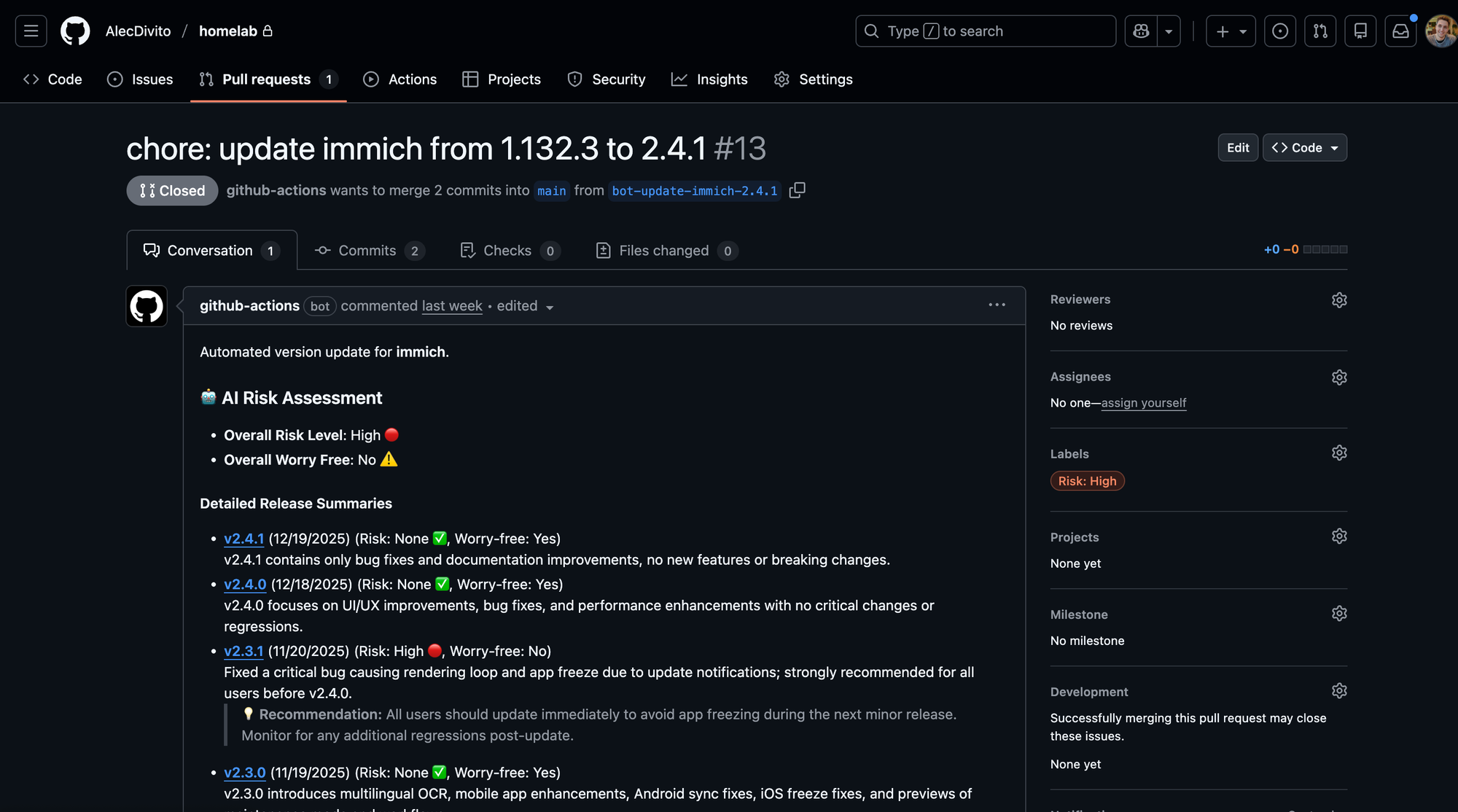
At this point, the migration is done and i was able to update my version all the way from v1.33.0 to v2.4.1.
OH NO, I didn't read the documentation and didn't use version 0.3.0 of vchord!
Haha, I did the same thing on my first migration, used tensorchord/cloudnative-vectorchord:16 instead of tensorchord/cloudnative-vectorchord:16-0.3.0 by mistake.
Don't worry the solution is simple. First make sure Immich has been turned off again if you re-enabled it. Then re-login back into your instance (while it's running the the updated container for vchord) and run the following to validate the problem.
select * from pg_extension where extname in ('vchord', 'vectors');
  oid   | extname | extowner | extnamespace | extrelocatable | extversion | extconfig | extcondition
--------+---------+----------+--------------+----------------+------------+-----------+--------------
  16932 | vectors |    16384 |        16931 | f              | 0.2.1      |           |
 383557 | vchord  |    16384 |         2200 | t              | 1.0.0      |           |
(2 rows)
Ah, dammit, version 1.0.0. That just won't do. We'll need to do part of the migration script again. Run the following.
DROP INDEX IF EXISTS clip_index;
DROP INDEX IF EXISTS face_index;
ALTER TABLE smart_search ALTER COLUMN embedding SET DATA TYPE real[];
ALTER TABLE face_search ALTER COLUMN embedding SET DATA TYPE real[];
We've revert the columns back to real[] just like we did at the start. There is no safe way to downgrade vchord so instead we'll drop it.
DROP EXTENSION vchord;And then we can re-create the extension.
CREATE EXTENSION IF NOT EXISTS vchord CASCADE;Now get the extension versions again.
select * from pg_extension where extname in ('vchord', 'vectors');
  oid   | extname | extowner | extnamespace | extrelocatable | extversion | extconfig | extcondition
--------+---------+----------+--------------+----------------+------------+-----------+--------------
  16932 | vectors |    16384 |        16931 | f              | 0.2.1      |           |
 383557 | vchord  |    16384 |         2200 | t              | 0.3.0      |           |
(2 rows)
Perfect!
Hope this helps 😄