
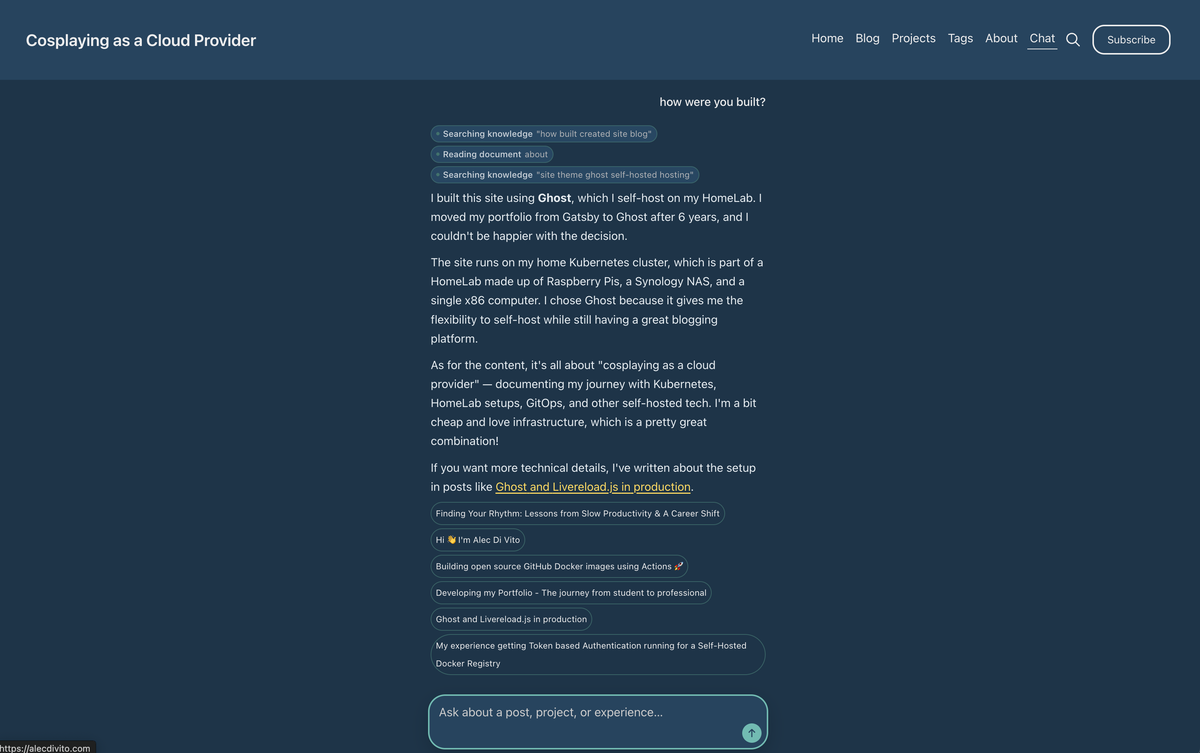
This blog runs on a CMS (Content Management Platform) called Ghost. It makes it really easy for me write and edit my blog posts. On top of that, their theme system is pretty easy to work with so it's relatively easy to customize the look and feel of the website as I see fit.
With the recent LLM hype, I've been thinking that I would want to add in some type of AI chat feature to my website. I already run AI models at home (currently a 9b qwen3.5 model) and I think it would be cool to use it for more things!
That got me thinking, how hard would it be to add in my own AI Agent that can do RAG search on my blog posts. Not only that, but how could I also keep it up to date when I add or change blog posts!
This post documents my journey of exploring the agent development process.
Why read the blog post when you can play with the feature! Go chat ask the AI about this post instead of reading it!
Architecture design
So my goal for this project is to be able to chat with my blog posts. This is assuming I have enough information to maintain a chat or my blog posts are of high enough quality to be able to support such an endeavour, but I digress.
For this project to work we'll need the following details:
- A agent hosted somewhere
- The agent needs a system prompt
- The blog posts need to be converted to embeddings for searching them
- The agent needs access to tool calls that provide it the ability to search
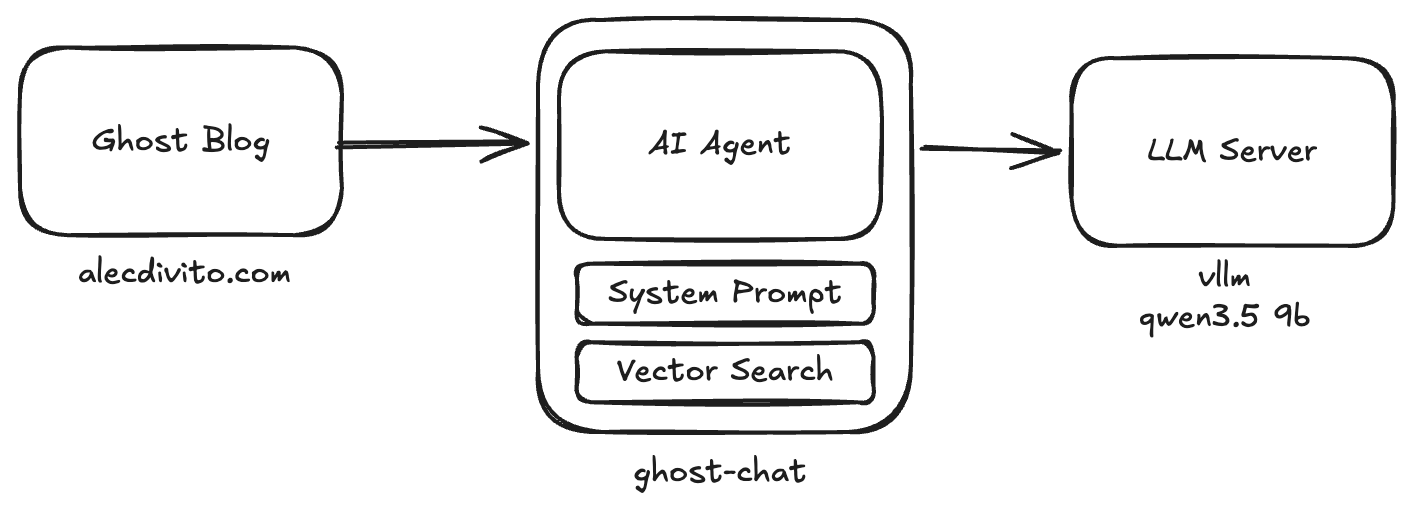
I've decided to put the AI agent on their own deployment that is reachable over a network. The reason for this is the following:
- The AI agent has to store the vector search data at all times on all of the content that currently exists in the Ghost CMS
- To access the downstream LLM system I need sensitive keys that provide me access to an LLM (in this case, my locally hosted one)
Keeping the Vector store up to date
Running an AI chat agent isn't hard. The main challenge for AI agents is providing the connections to a data source so the agent can accomplish real tasks. For us that's storing all of the blog posts in the vector store and having a tool call access it for vector searches.
Luckily, Ghost comes with ways to do integrations. They come with access keys that allow the posts to be read through an API key as well as webhooks, which will call the agent to notify it something has changed.
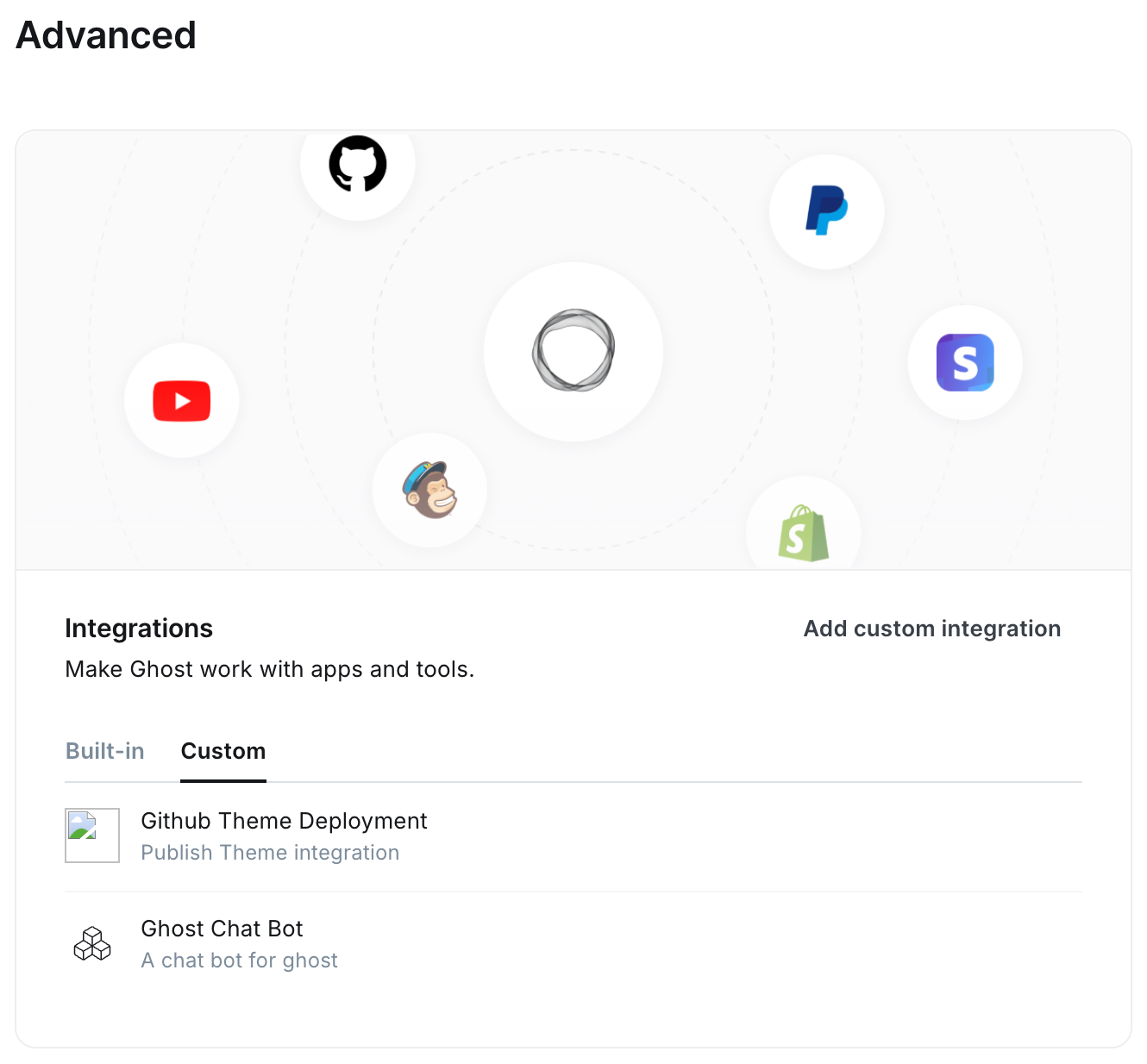
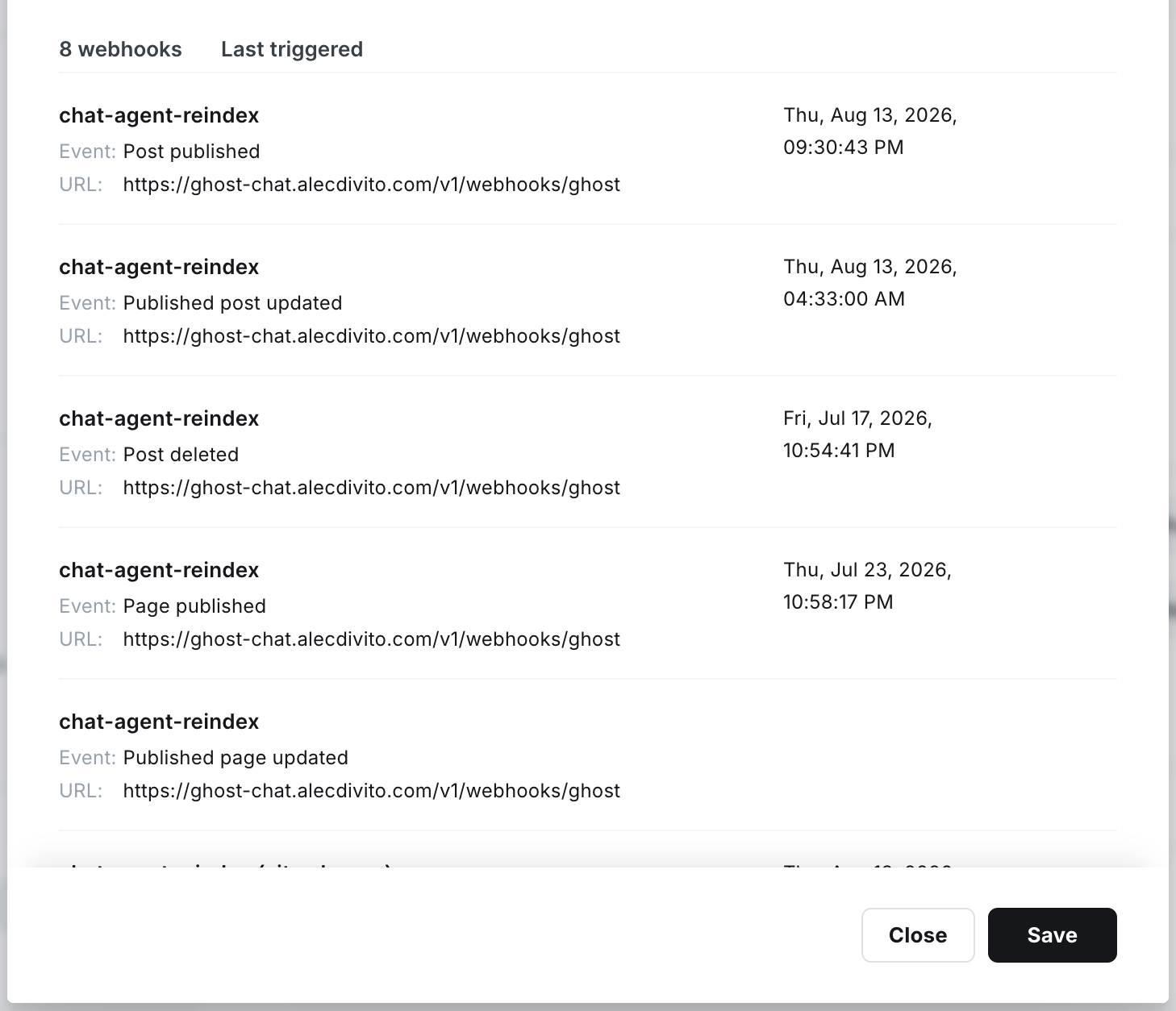
In this case I had to setup the following webhook events:
- Event: Post published
- Event: Published post updated
- Event: Post deleted
- Event: Page published
- Event: Published page updated
- Event: Site changed (rebuild)
- Event: Page unpublished
- Event: Tag added to page
This covers all the events that we care about and it makes sure that the application can action blog posts changing, updating or being created on the fly. This way the AI always access to the most up to date information.
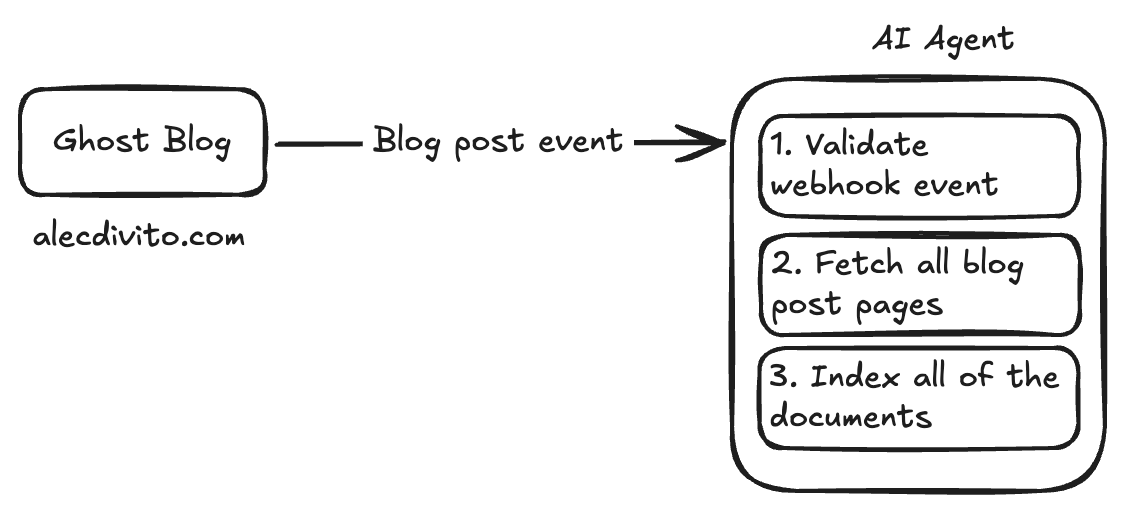
Choice of Vector store
I actually had 2 implementations of this feature. The first is a keyword search powered by minisearch. However, I found the results to be lacking so I brought on orama.
Minisearch is a search engine that supports fuzzy word searching. Because it's just searching based on keywords, it much faster then the vector database search. This worked ok but I found through some personal testing it would fail at searching documents or executing tool calls sometimes.
Migrating to Orama was as simple as providing the service file for minisearch and asking claude to update the code to handle the new library. I don't have tests but from personal experience the change from minisearch to orama has been very good however the chat experience is now a bit slower.
Giving the AI access to the data
AI models can execute tool calls to be able to make requests to the underly agent code for it to do something. For this application I created 2 tool calls:
search_knowledgeallows the AI model to search different keywords across the application on the search engine and vector database.get_documentpulls the entire content of the blog post into memory
This effectively allows the AI to not need to read all of the documents in the blogs to only extract the relevant information. Though this might not be a problem with most AI model deployments, it's important for me to not need to load my entire corpus at once into my models context.
The main reason for this is because I run everything at home, currently on 5060ti 16gb gpu's. I maximize for concurrent requests hitting my systems (which I can only do about 3-4 concurrently) which maxes out my max context size for a conversation 28,000 tokens.
Performance and size
Because of the size of my blog is quite small, the current implementation will re-index the entire corpus whenever there is a change. This wastes resources and would technically cost me money, but I actually host my own AI and embedding models at home, so they are technically "free".
The embedding model I run is hot loaded in at runtime. I found if I need to start the embedding model off at a cold start, it takes about 30 seconds (currently as of the time writing this blog post) to reindex the blog while if the embedding model is already loaded, it only takes 10 seconds.
Also all of the databases right now are kept in memory, but as you can see from the output below, it really doesn't take up that much space.
❯ kubectl top pods
NAME                                CPU(cores)   MEMORY(bytes)
error-page-56c7574c58-rvdb5         0m           2Mi
ghost-69998c847b-l92q8              54m          351Mi
ghost-chat-agent-7f499cc77f-8qgqm   1m           29Mi
ghost-chat-agent-7f499cc77f-bcmzj   1m           29Mi
mysql-0                             12m          591Mi
In Conclusion
This project was just a fun thought I had to help me use the compute I had at home. It was a fun exercise of making my own simple AI agent (which I do quite a bit at work). The results are not bad and it's a fun gimmick that I think is unique to my ghost blog.
The initial idea i had was to keep it as simple as possible and just have it all programmed on the frontend of my website. But as i dug into the details more, that was impossible. However, hosting another service costs me nothing so I did it anyways!
The code isn't public, mostly because it's bit oriented to my own needs, but if you host your own ghost blog and want this, let me know! It wouldn't be hard to extend it to support your needs to! Feel free to email me at me@alecdivito.com.